I already had a background in software reverse engineering and had even pulled apart SOHO router firmware before, but I had not spent much time working directly with the hardware. This post is the first part of that learning process: buying cheap routers, removing flash chips, dumping firmware, unpacking the filesystem, and starting to reverse engineer the web management service.
Finding Cheap Targets
I wanted devices I would not feel bad about destroying. Fortunately, I have several thrift stores nearby, and old networking gear shows up there pretty often.
On the first trip I picked up a few devices for under $20 total:
- CenturyLink Zyxel C3000Z
- TP-Link Archer C7
- Netgear N600
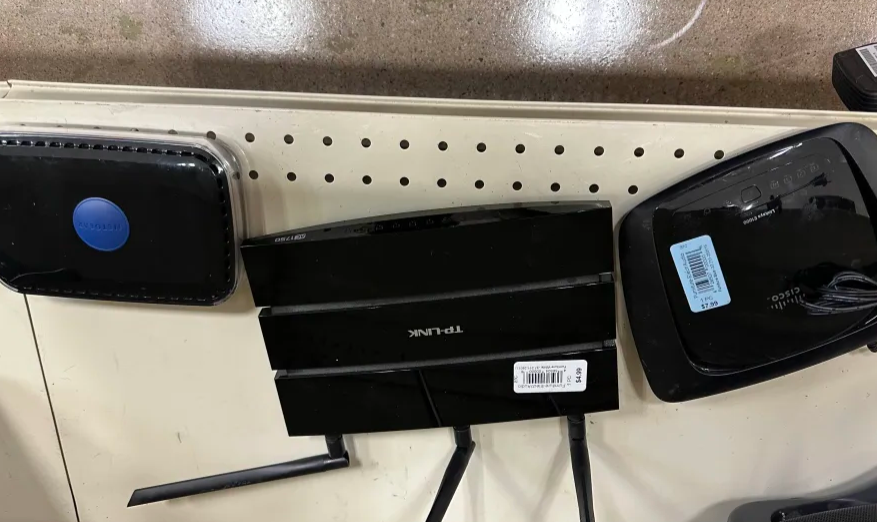
I already owned a soldering station, so the next missing piece was a programmer that could read SPI flash. I ended up buying an XGecu T48 universal programmer. While waiting for it to arrive, I practiced removing chips from scrap boards and destroyed a few in the process.
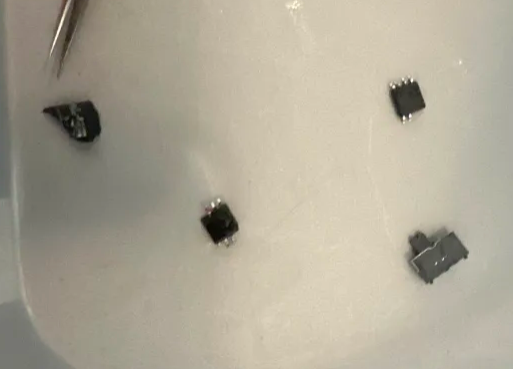
Removing a flash chip is simple in theory, but it is easy to lift pads, overheat the package, or do any number of silly things that destroy the device.
Choosing The Netgear N600
The first device on the chopping block will be the Netgear N600, because that’s the one I am writing this post about.
The firmware version that was on this device from the thrift store was V1.0.0.20_1.0.28. Great, no one knew what security was 10 years ago so this might have some good bugs!
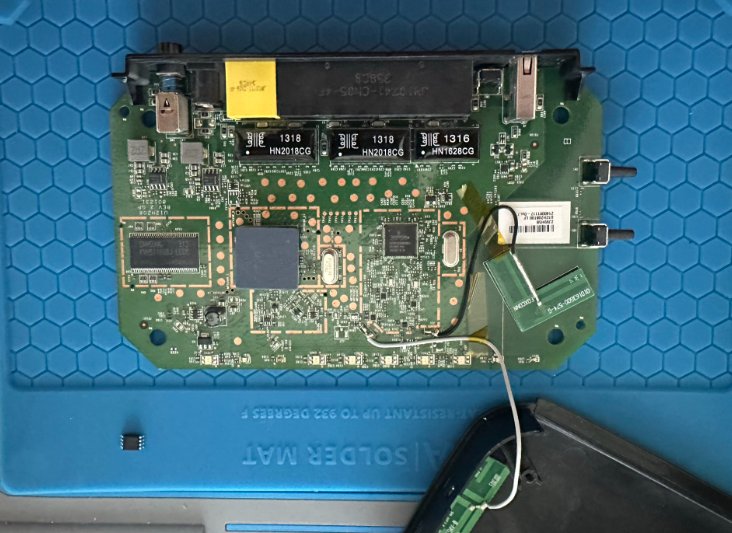
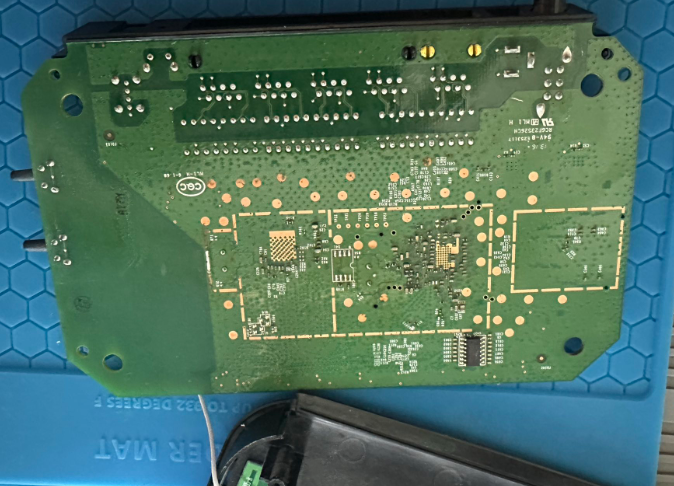
Reading The Flash Chip
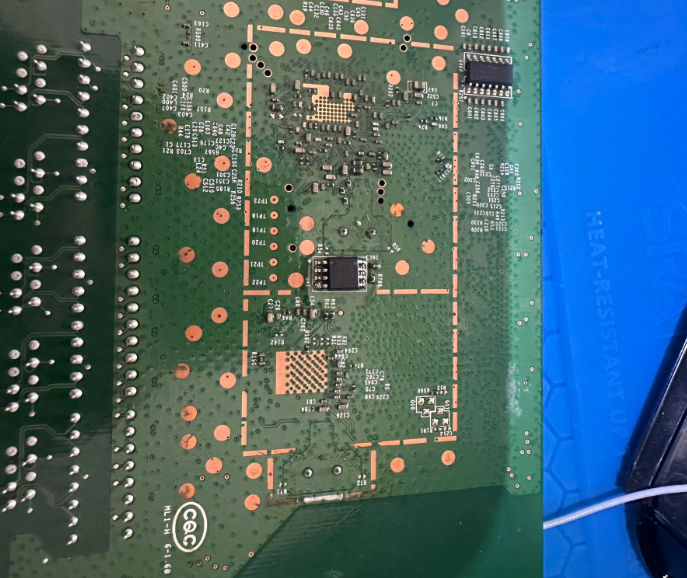
The board used an SOIC-8 flash chip:
MX25L6406E
In theory, this chip can sometimes be read in-circuit with a clip. I could not get a stable read that way, so I removed the chip and read it directly with the programmer.
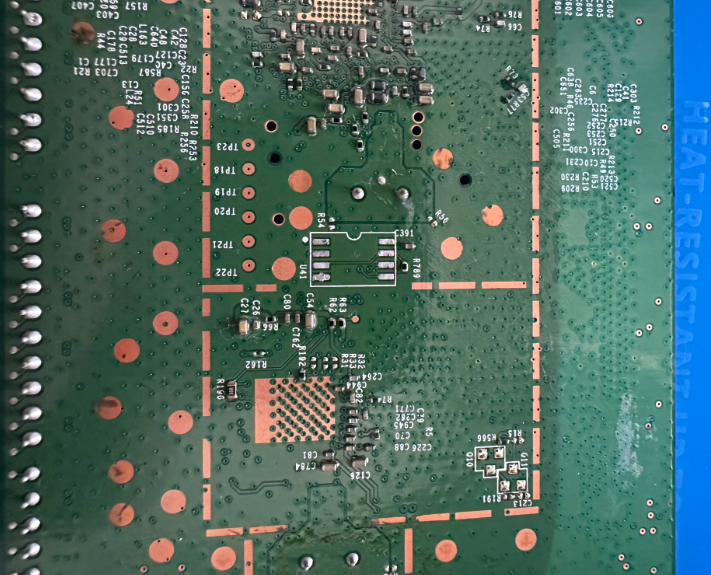
The good news was after dumping the flash, I was able to solder the chip back onto the board and the router still booted.
First Look At The Firmware
With the firmware dumped, the first low-effort check was strings. This is not deep analysis, but it is a fast way to see whether the image contains obvious configuration values, board identifiers, paths, or service names.
4$P*
<$P*
<$P*
fJ5d
<%XA
)5$@
        4%@
ZSIB
FLSHh
Xboardtype=0x0550
...
0:maxp5gla0=0x3C
0:subdevid=0xbdc
apmode_dns1=
wl_antdiv=-1
wl_radio_pwrsave_level=0
wlg_defaKey=0
wla_temp_secu_type=None
wlan_acl_dev23=
0:maxp5gla1=0x3C
0:ag0=0x2
After that, I ran binwalk to identify the firmware layout. I’ve noticed binwalk kind of sucks lately so I was shocked it worked first try…
DECIMAL       HEXADECIMAL     DESCRIPTION
--------------------------------------------------------------------------------
14845         0x39FD          JBOOT STAG header, image id: 2, timestamp 0xA020818, image size: 68182016 bytes, image JBOOT checksum: 0x8228, header JBOOT checksum: 0x5800
38809         0x9799          JBOOT STAG header, image id: 16, timestamp 0x14021610, image size: 554713088 bytes, image JBOOT checksum: 0x88, header JBOOT checksum: 0x2100
43684         0xAAA4          gzip compressed data, maximum compression, has original file name: "piggy", from Unix, last modified: 2012-12-17 11:00:09
262144        0x40000         TRX firmware header, little endian, image size: 6647808 bytes, CRC32: 0x924001AD, flags: 0x0, version: 1, header size: 28 bytes, loader offset: 0x1C, linux kernel offset: 0x1390FC, rootfs offset: 0x0
262172        0x4001C         LZMA compressed data, properties: 0x5D, dictionary size: 65536 bytes, uncompressed size: 3614368 bytes
1544444       0x1790FC        Squashfs filesystem, little endian, non-standard signature, version 3.0, size: 5359436 bytes, 854 inodes, blocksize: 65536 bytes, created: 2013-01-09 08:23:56
7667728       0x750010        bzip2 compressed data, block size = 900k
7733264       0x760010        bzip2 compressed data, block size = 900k
7798800       0x770010        bzip2 compressed data, block size = 900k
7864336       0x780010        bzip2 compressed data, block size = 900k
7929872       0x790010        bzip2 compressed data, block size = 900k
7995408       0x7A0010        bzip2 compressed data, block size = 900k
The interesting part was the SquashFS filesystem. Once extracted, I could browse the router filesystem like a normal directory tree.
Finding The Web Server
Consumer routers usually expose a custom web interface, and the server-side binary is often where interesting bugs live. In this firmware, the httpd binary lived under usr/sbin.
usr
├── bin
├── local
│   └── samba
│       ├── lib
│       │   ├── lmhosts
│       │   └── smb.conf -> ../../../tmp/samba/private/smb.conf
│       ├── lock -> ../../../var/lock
│       ├── nmbd
│       ├── private -> ../../../tmp/samba/private
│       ├── smbd
│       ├── smb_pass
│       └── var -> ../../../var
├── sbin
│   ├── dhcp6s
│   ├── dnsmasq
│   ├── dnsRedirectReplyd
│   ├── email
│   ├── emf
│   ├── et
│   ├── ftpc
│   ├── gproxy
│   ├── heartbeat
│   ├── httpd
│   └── httpsd.pem
└── tmp -> ../tmp
There was also an RSA private key in the same area of the filesystem. I did not dig into it deeply for this first pass, but hardcoded keys in router firmware are always worth noting.
The httpd binary itself was a stripped 32-bit MIPS executable:
httpd: ELF 32-bit LSB executable, MIPS, MIPS32 version 1 (SYSV), dynamically linked, interpreter /lib/ld-uClibc.so.0, stripped
Starting Static Analysis In Ghidra
From there, I loaded httpd into Ghidra and started with the basics:
- Review strings
- Identify request handling paths
- Look for authentication handling
- Search for unsafe copy and formatting functions
- Trace whether user-controlled data reaches those calls
Nothing obvious jumped out immediately from strings alone. The next pass was looking for unsafe function usage, especially calls like strcpy.
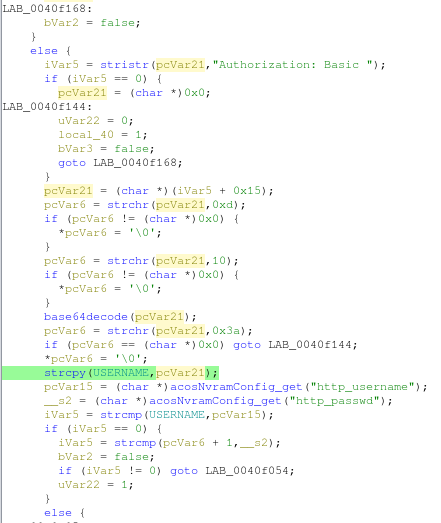
Finding strcpy does not automatically mean there is a vulnerability. The useful question is whether an attacker can control the source buffer and whether the destination has a realistic size limit. That analysis takes more time, but these references gave me good starting points.
One smaller observation from reviewing the authentication flow was the web interface used HTTP Basic authentication, which means credentials are base64-encoded in the Authorization header. That is not encryption, so transport security matters. If the management interface is reachable over plain HTTP, the password is exposed to anyone who can observe the traffic.
Next Steps
At this point, I needed a better way to debug the device. The next goals were:
- Get UART working reliably
- Determine why telnet appeared enabled but was not accepting connections
- Patch the firmware or runtime configuration to enable remote access
- Continue tracing request handlers inside
httpd - Confirm whether any unsafe copy patterns are reachable through the web interface
This was a messy but useful first pass. I got a firmware dump, extracted the filesystem, identified the main web server binary, and started mapping the code paths that are most likely to matter.
Three devices were bricked in the making of this post.
]]>